17% off
$5.99$4.99
5.02 reviews
Get original Elementor Pro licence at the best price. All premium widgets and templates included, invoice provided, instant delivery at Karınca Lisans.Read more →
$4.99
In stock
Your payments are protected by Stripe and 256-bit SSL.
Elementor Pro · 1-year original license
Elementor ProThe main functions offered by are as follows:
Drag-and-drop interface: Add, edit, and instantly preview page elements without knowing how to code.
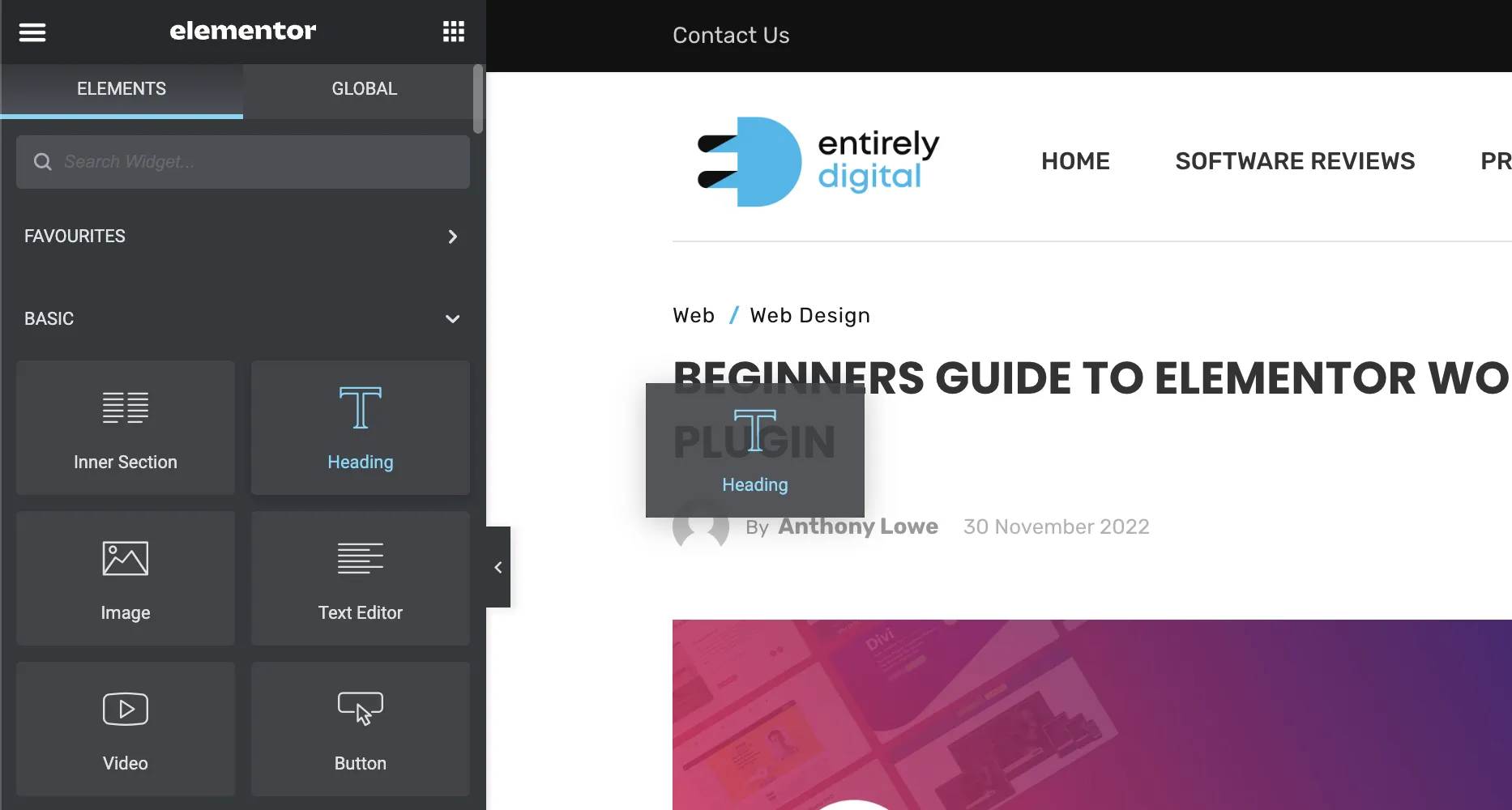 Elementor Pro[/caption]
Advanced widgets and templates: A wider library of components (e.g., forms, sliders, price tables) and ready-made page/field blocks than those found in the free version.
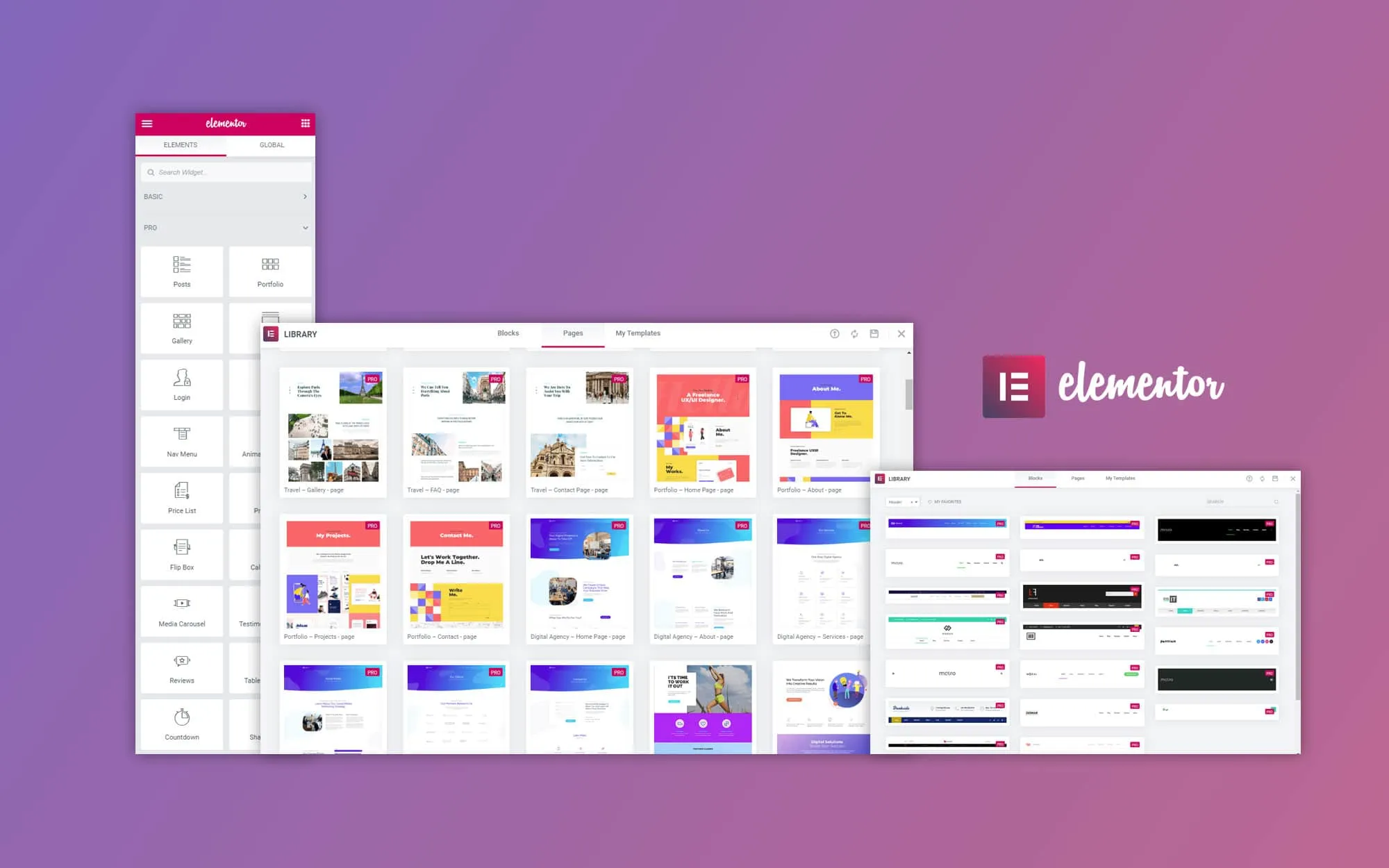 Elementor Pro[/caption]
Theme Builder: Allows you to customize "theme" elements of your website, such as the header, footer, archive pages, and single post pages.
Pop-up builder: Allows you to design and display custom pop-ups within pages.
E-commerce integration: Designing custom product pages, store pages, and sales funnels for sites using WooCommerce.
Dynamic content and advanced customization: Features such as personalized content display, device-specific optimization, uploading different fonts, and adding custom CSS.
The free version is ideal for individual blogs, portfolios, and simple websites. It includes basic page builder tools.
Visual drag-and-drop editor: easily place elements such as text, images, and buttons on the page.
Basic widgets: Header, text editor, image, video, button, icon, etc.
Mobile compatibility: Editing controls suitable for desktop, tablet, and mobile devices.
Basic templates and blocks: Ready-made page templates to quickly launch your site.
The Pro version offers significant advantages for more professional, branded, e-commerce-enabled, or customer-focused websites. Key differences are listed below:
| Feature | Free Version | Pro Version |
|---|---|---|
| Visual drag-and-drop editor | ✅ | ✅ |
| Basic widgets (text, title, button, etc.) | ✅ | ✅ |
| Advanced widgets (forms, sliders, price lists, etc.) | ❌ | ✅ |
| Theme builder (Header, Footer, 404, archive, etc.) | ❌ | ✅ |
| Pop-up generator | ❌ | ✅ |
| Dynamic content support (ACF, Toolset, Pods, etc.) | ❌ | ✅ |
| WooCommerce integration | ❌ | ✅ |
| Adding custom CSS | ❌ | ✅ |
| Global style management | ❌ | ✅ |
| Professional stencil kits | ❌ | ✅ |
| Email marketing integration | ❌ | ✅ |
| Technical support and updates | ❌ | ✅ |
| Free to use | ✅ | ❌ (License required) |
The Pro version includes advanced widgets such as forms, sliders and price tables, the Theme Builder, a pop-up builder, WooCommerce integration, dynamic content support, custom CSS and professional template kits. Technical support and updates are also only provided with the licensed Pro version.
Installation is handled by us; please add your WordPress login information to the order notes section. This is essential for a smooth installation and so we can assist you with any issues. All Pro features will be active after installation.
Yes; Elementor Pro lets you design custom product pages, store pages and sales funnels for sites using WooCommerce. This way you can customize the look of your store without writing code.
With the Theme Builder you can customize theme parts of your website such as the header, footer, archive pages and single post pages using the drag-and-drop interface. Including the 404 page, you can design your site's overall structure without coding knowledge.
The license is valid for a single WordPress site. If you run several sites, each one needs its own license.
It runs for 1 year; during that time all Elementor Pro updates reach your site instantly. After it ends the plugin keeps working but no longer receives updates.
Our team performs the installation. For security we recommend creating a separate administrator account for the installation period instead of sharing your own, and deleting it or changing its password once the installation is complete.
Yes, an e-invoice is issued for every order; you can download it from the order details in your account.
Buy in 3 Steps
After payment, your licence is usually in your inbox within 1-90 minutes.
For detailed setup instructions, see our Instructions for Use Library.
Some of these reviews come from our customers in Türkiye and are shown in Turkish.
Hızlı destek ve ilginiz için çok teşekkür ederim.çok hızlı yanıt alıyorsunuz. teslimat çok hızlı gerçekleşti. ilgi alakala için çok teşekkür ederim$5.99$4.99

$5.99$4.99

$7.99$5.99
$10.99$7.99