Why Is AutoCAD So Expensive? License Types and Cost Analysis
Karınca Lisans18 min read

Products Mentioned in This Post
Summarize this article with AI
Your assistant reads the article and summarizes it for you.
AutoCAD is one of the most widely used CAD programs in architecture, engineering, construction, mechanical design, electrical design, mapping, and manufacturing. For professional projects, a genuine AutoCAD license should be your choice — it ensures accurate drafting, secure data management, access to current versions, and legal use.
As of 2026, price is not the only thing that matters for users looking to buy AutoCAD. The authenticity of the license, the reliability of the sales channel, the subscription term, technical support, the activation method, and whether the license permits commercial use should all be verified before purchase.
What Is an AutoCAD License and Why Do You Need One?
An AutoCAD license is the usage right that allows a user to legally use the AutoCAD software provided by Autodesk under specific terms. This license is typically assigned to an Autodesk account, and the user accesses the software by signing in with an Autodesk ID. In Autodesk's current subscription structure, most single-user subscriptions are tied to an Autodesk ID, and in most cases a classic serial number is no longer used.
What does an AutoCAD license do?
An AutoCAD license allows you to install, activate, and use the software legally. Licensed use gives you access to AutoCAD's desktop, web, and mobile capabilities, lets you download current versions, and entitles you to the support services included in your subscription.
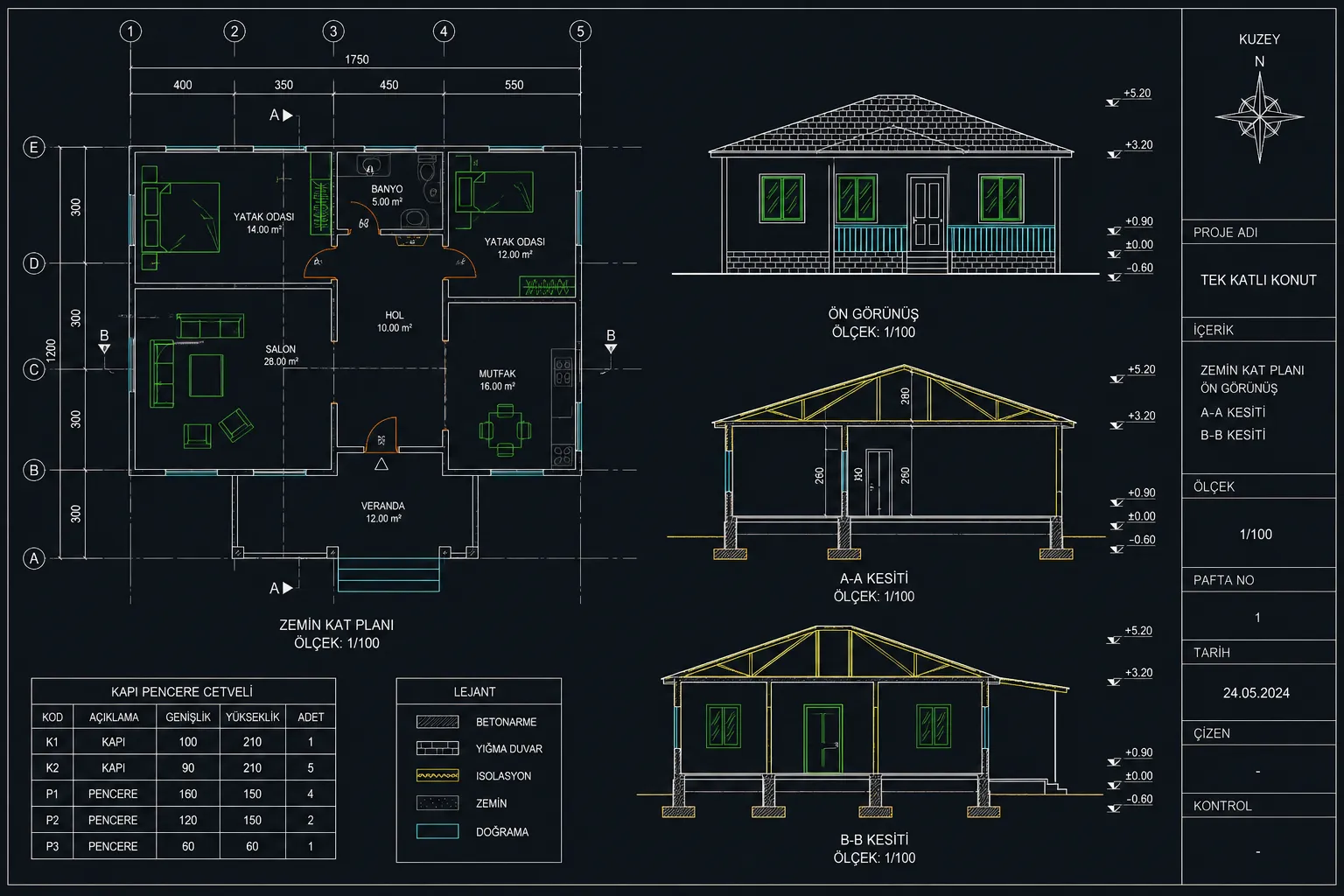
An AutoCAD subscription can cover far more than basic drafting features — it may include specialized toolsets, 2D and 3D drawing tools, automation features, and industry-specific tools. Autodesk's AutoCAD page notes that AutoCAD enables architects, engineers, and construction professionals to design 2D geometry and 3D models, compare drawings, create schedules, and automate workflows.
What are the risks of using unlicensed software?
Using unlicensed AutoCAD carries serious risks. Software downloaded via cracks, keygens, or torrents can lead to malware infections, data loss, corrupted project files, performance issues, lack of support, and legal problems. Autodesk explicitly states that pirated AutoCAD software can expose users to malware and data loss, and that using nongenuine software creates risk of copyright infringement and other legal claims.
On the corporate side, the risk is even greater. A business running unlicensed software may face audits, trust issues at project delivery, damaged customer confidence, and unexpected costs.
The advantages of using a genuine license
Using a genuine AutoCAD license does more than provide legal assurance; it also matters for the software running correctly, staying up to date, and being eligible for support. According to Autodesk, genuine Autodesk software is legally licensed software purchased directly from Autodesk or from an Autodesk Authorized Partner, and it is free of the security vulnerabilities that may be found in nongenuine software.
The main advantages of a genuine license are: access to updates, technical support, secure activation, license management through your Autodesk account, access to previous versions, and corporate compliance.
What Are the AutoCAD License Types?
AutoCAD license types have changed over the years. As of 2026, AutoCAD is offered primarily through a subscription model. According to Autodesk's current licensing overview, Autodesk software is sold as subscription plans; administrators assign products to specific user accounts, and users gain access by signing in. The same source notes that perpetual licenses, maintenance plans, and multi-user/network subscriptions have been phased out or are listed among retired options.
What is an individual Single User license?
An individual or Single User license is a usage model in which the license is assigned to a specific person. The user activates AutoCAD by signing in with their Autodesk account. This model is particularly well suited to freelancers, small offices, independent engineers, architects, and individual professionals.
According to Autodesk's AutoCAD FAQ page, an AutoCAD subscription can be installed on up to three computers; however, only the named user the license is assigned to can sign in and use it on a single device at any one time.
What is a corporate Multi User license?
In the past, the Multi User or Network license model allowed multiple users to draw from a license pool over the company network. In Autodesk's current licensing approach, however, this model is no longer the primary method for new purchases. In 2026, the more common structure for corporate use is user-based subscriptions assigned to staff from an admin panel.
For this reason, when people say "corporate license" today, they usually mean named-user subscriptions purchased in the company's name and distributed to user accounts by administrators. In large teams, license management, user assignment, usage reporting, and support coverage are therefore especially important.
Student license vs. commercial license
The student license is a special access model offered for educational use. Autodesk states that it provides one year of free educational access to eligible students and educators. However, this license may only be used for learning, teaching, and research purposes; it cannot be used for commercial, professional, or for-profit work.
For this reason, drawings produced with a student license should not be used in commercial projects. Freelance work, company projects, tender files, client deliverables, or any work that generates income requires a commercial AutoCAD license.
How does the subscription model work?
The subscription model lets you use AutoCAD for a defined period. You can choose monthly, annual, or multi-year plans. According to Autodesk, monthly subscriptions are generally more expensive than annual ones but offer more flexible billing, while multi-year subscriptions typically deliver the best value.
For professionals who use AutoCAD regularly, an annual subscription usually makes more sense. Those working on short project-based engagements may consider a monthly subscription. Teams that only need AutoCAD occasionally can look at options built around daily use, such as Autodesk Flex; Autodesk describes Flex as a flexible option that provides daily access through prepaid tokens.
What to Watch Out for When Buying an AutoCAD License
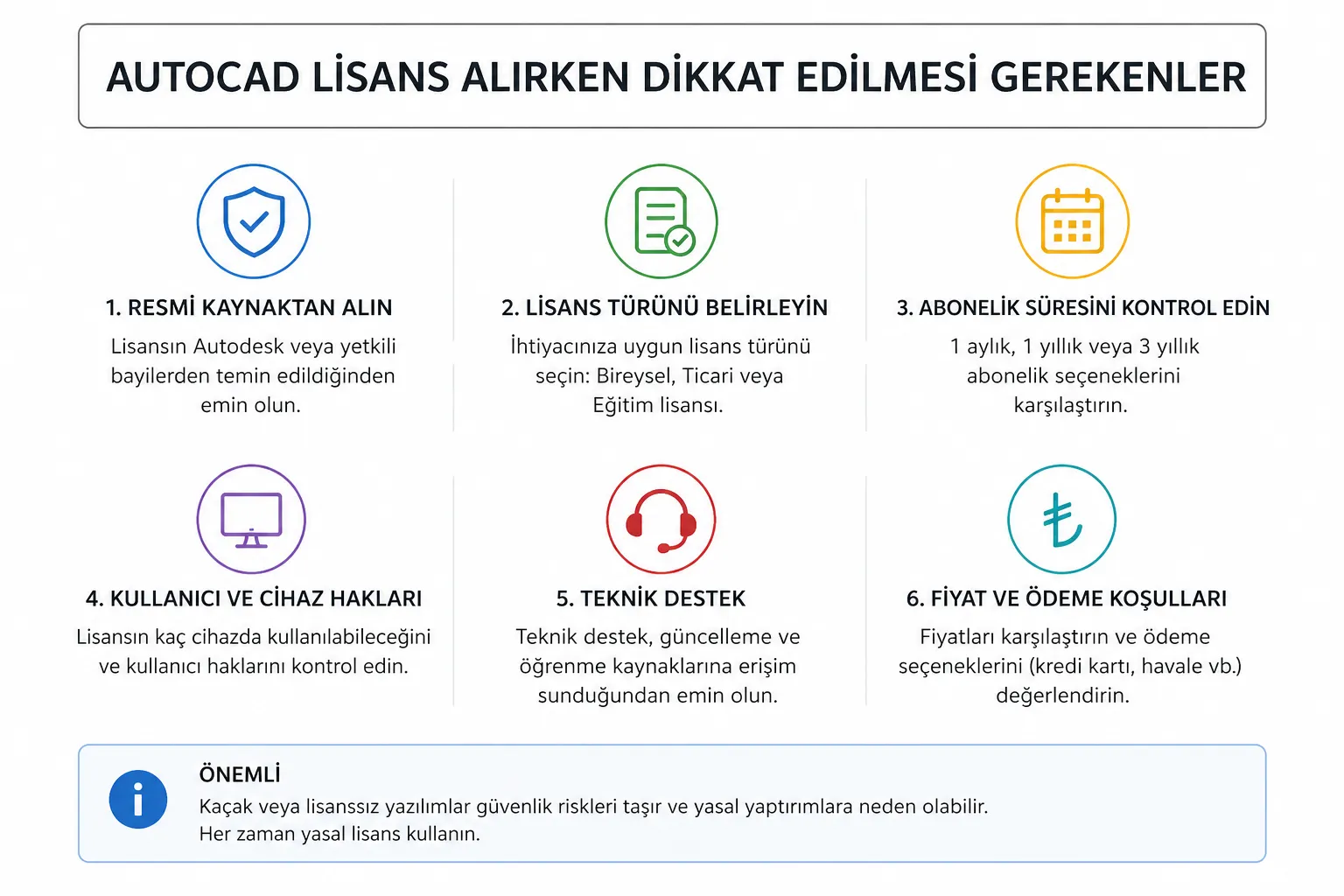
When buying an AutoCAD license, the most important criterion is not "the lowest price" but whether the license is genuinely authentic and usable. Licenses that are suspiciously cheap, of unknown origin, or never officially assigned to your account can cause serious problems down the road.
How can you tell whether a purchased license is genuine?
A genuine AutoCAD license should appear in your Autodesk account and be manageable from the products and services section. In most single-user subscriptions, the license is tied to your Autodesk ID. For older or specialized products that use a serial number, the license type and serial number can be checked through Autodesk Account.
If, after purchase, all you receive is an unknown download link, a cracked installer, or the account credentials of a third party, that is a serious red flag.
How do you verify a seller's reliability?
Check whether the seller is an Autodesk Authorized Partner. Autodesk Partner Finder is the official tool users can rely on to find approved Autodesk partners based on needs such as software purchase, training, implementation, integration, and consulting. When searching for a partner, you can use the "Software Purchase" filter along with your location.
A trustworthy seller should provide transparent company information, an invoice, technical support, license activation assistance, renewal support, and official license assignment.
Are very cheap licenses safe?
Be cautious with AutoCAD licenses sold far below market price. Such offers may involve an invalid license, a subscription tied to someone else's account, out-of-region use, an expired account, an education license resold as a commercial one, or outright pirated software.
Autodesk notes that software piracy can take the form of modified software, copied and resold accounts or keys, use that violates the license terms, or purchases from unauthorized resellers.
Why do the license term and scope matter?
When buying an AutoCAD license, review the license term, number of users, commercial use rights, product scope, access to previous versions, web/mobile access, and the extent of technical support. For example, an AutoCAD subscription includes the right to download and use the three previous versions alongside the current release.
Choosing the wrong license can mean unnecessary cost or insufficient usage rights. That is why a needs analysis before purchase is essential.
The Most Reliable Ways to Buy an AutoCAD License
The safest ways to buy an AutoCAD license are through official Autodesk channels and Autodesk-approved partners. If you use online platforms, the seller's reliability should be verified separately.
Buying through the official Autodesk website
One of the safest methods is to buy AutoCAD directly from Autodesk's official website. On the Autodesk Turkey product page, AutoCAD is listed as "2D and 3D CAD software," and the AutoCAD subscription is noted to include specialized toolsets and apps. As of April 29, 2026, the Autodesk Turkey page shows an indicative annual price of TL 92.628/year for AutoCAD in Turkey; prices may vary depending on promotions, taxes, exchange rates, and purchase terms.
The advantage of buying from the official site is that the license is linked directly to your Autodesk account and the activation process is more straightforward.
The Most Reliable Purchasing Methods
When buying an AutoCAD license, what matters most is not just an affordable price; the license must also be trustworthy, legal, and usable without issues. License security is critical for software like AutoCAD, which is used for professional drafting, architectural projects, engineering design, technical documentation, and corporate work. Licenses purchased from the wrong seller can bring risks such as activation problems, usage restrictions, lack of support, and legal trouble.
That is why knowing the reliable purchasing methods pays off in the long run for both individual users and companies. Before buying a license, always check the seller's reliability, the authenticity of the product, the license term, the delivery method, the technical support service, and the invoicing process.
Choosing Official Purchase Channels
One of the safest ways to buy an AutoCAD license is to use official sales channels. Licenses bought through official channels are assigned directly to your user account and ensure the software is used legally. This method is a secure option, especially for corporate firms and professionals planning long-term use.
Through official purchase channels, the license term, usage rights, number of users, and renewal terms are laid out more clearly. This way, users know exactly which license they are buying and which rights it covers.
Official channels can sometimes be more expensive, however. For this reason, users may also want to consider trustworthy alternative sales outlets. The key here is that the seller clearly discloses the source of the license and provides after-sales support.
Buying from Authorized and Trustworthy Sellers
Choosing a reliable seller is essential when buying an AutoCAD license. The seller's corporate information should be transparent, their communication channels reachable, and their product descriptions clear. The license term, activation method, scope of use, and delivery method should be clearly stated before purchase.
Reliable sellers do more than just sell licenses; they also provide support throughout installation, activation, and use. This support is especially valuable for first-time AutoCAD users, because even a minor issue during license activation, account assignment, or installation can cost the user significant time.
Before making a purchase, review the seller's customer reviews, support services, invoicing details, and communication transparency. Genuine user reviews and transparent company information are important indicators when assessing a seller's reliability.
Reliable Online License Sellers
Today, many users prefer to buy their AutoCAD license through online platforms. Buying online offers advantages such as fast delivery, easy payment, and convenient license access. Not every online platform is trustworthy, however. The site you buy from should look professional, offer clear product descriptions, provide a secure payment infrastructure, and deliver after-sales support.
Users looking to buy an AutoCAD license can save time and get support throughout installation and activation by purchasing through a reliable online license platform. At this point, you can review the available AutoCAD license options to find the license type that fits your needs.
This linking point is SEO-appropriate because it naturally guides users with high purchase intent. The link also preserves topical coherence and does not harm the user experience.
Being Wary of Suspiciously Cheap Licenses
When buying an AutoCAD license, be careful with products offered well below market value. Very cheap licenses may look attractive at first glance, but they are not always reliable. Licenses that have expired, are tied to another account, carry regional usage restrictions, or are not legal can leave the buyer stranded.
Products marketed with phrases like "lifetime license," "special edition with no crack required," or "ultra-cheap corporate license" deserve particularly close scrutiny. With professional software like AutoCAD, it is crucial that the license is genuine, gets assigned to your account after purchase, and activates without issues.
Never sacrifice license security while hunting for a cheap license. Otherwise, a purchase that looks low-cost in the short term can lead to the software being deactivated, lost projects, or legal problems in the long run. A better approach is to browse the trustworthy and up-to-date Autodesk license options available at Karınca Lisans.
Checking the License Term and Scope of Use
Before buying an AutoCAD license, check how long it remains valid. Some licenses are offered monthly, some annually, and others for different terms. Choose the term that best fits your needs.
While a monthly license may be enough for a short-term project, an annual license is usually the better deal for an architect, engineer, or technical team that uses AutoCAD regularly. Corporate users should consider license options suited to multiple users.
The license scope matters just as much as the term. Always check whether the license you are buying permits commercial use, which devices it can be used on, and which versions it covers.
Prioritize a Trustworthy Seller, a Genuine License, and Technical Support
The most reliable way to buy an AutoCAD license is to choose sellers who guarantee the authenticity of the license, publish clear contact information, and provide after-sales support. Consider not only the price but also the reliability of the license and its long-term usage advantages.
An AutoCAD license bought from the right seller lets you use the software smoothly, safeguards your projects, and eliminates legal risks. That is why reliability should be treated as a criterion every bit as important as price when buying AutoCAD.
Buying a license from authorized resellers
Authorized Autodesk resellers can offer real advantages, especially for corporate purchases. They can help with choosing the right license, multi-user management, invoicing, training, installation support, and the renewal process.
Autodesk notes that you can contact an authorized Autodesk Partner to purchase software, and that local partners can offer solutions, training, and support plans tailored to your business or industry needs.
Are online license platforms trustworthy?
Not every online license platform is trustworthy. A reliable platform should clearly state the source of the license, issue an invoice, make an official assignment to your Autodesk account, and provide technical support. Stay away from platforms that sell nothing but a "product key," "account credentials," or a "download link."
If you plan to buy from an online platform, ask these questions: Is the seller an authorized Autodesk partner? Do they issue an invoice? Will the license appear in my Autodesk account? Does it include commercial use rights? How does renewal work? Is technical support provided?
License purchasing options in Turkey
Users looking to buy an AutoCAD license in Turkey can consider the official Autodesk Turkey product page, the Autodesk Partner Finder tool, and authorized Autodesk partners. The Autodesk Turkey page includes a phone purchase option, a product list, a free trial, educational access, and links to Partner Finder.
For corporate users, requesting a quote through an authorized reseller can be the healthier route, especially when multiple licenses, training, installation, and technical support are needed.
Why Do AutoCAD License Prices Vary?
AutoCAD license prices depend on many factors, including the license type, subscription term, sales channel, promotions, exchange rates, taxes, and regional pricing.
The impact of exchange rates
Because AutoCAD is a global product, pricing in most markets can be affected by foreign exchange, regional pricing policy, and local taxes. In Turkey, prices displayed in TL can also change due to seasonal promotions and currency movements. Before buying, always check the current price on the official Autodesk page or with an authorized reseller.
Price differences by license type
Monthly, annual, and multi-year subscriptions come at different price points. A monthly subscription offers flexibility for short-term use but can be more expensive in total annual cost. Autodesk itself notes that monthly subscriptions cost more than the annual plan, and that an annual plan can save money compared to keeping a monthly subscription running for 12 months.
Promotions and discount periods
Autodesk may run seasonal promotions, special offers, or multi-year plan incentives. Before making a purchase decision, get up-to-date offers from the official site and authorized resellers.
Price variation between sellers
Prices can differ when authorized sellers bundle in extra services, training, technical support, or corporate consulting. The cheapest offer is not always the best choice. Especially in corporate projects, after-sales support, invoicing, license management, and fast issue resolution matter as much as price.
How to Find an Affordable AutoCAD License
Finding an affordable AutoCAD license means choosing the right plan without compromising on authenticity. The goal is not simply the lowest price, but a cost that fits your needs and is sustainable.
Ways to track promotions
You can follow official Autodesk campaigns, authorized reseller announcements, and seasonal special offers. Year-end sales, new version transitions, corporate renewal periods, and multi-year plan promotions can be particularly advantageous.
Why choosing the right seller matters
The right seller keeps supporting you after the purchase. When the license fails to appear in your account, an activation error occurs, a user change is needed, or renewal time arrives, a reliable seller makes all the difference.
How to compare prices
When comparing prices, look beyond the annual fee and compare these criteria as well: license term, number of users, commercial use rights, invoicing, technical support, renewal terms, activation method, access to previous versions, and the seller's authorization status.
How Does the AutoCAD License Purchase Process Work?
Buying an AutoCAD license typically involves choosing a plan, paying, creating an Autodesk account or signing in to an existing one, license assignment, download, installation, and activation.
Purchase steps
First, determine the license type that fits your needs. If you will use AutoCAD regularly, consider an annual subscription; for short-term use, a monthly subscription; for large teams, corporate license management. Then make the purchase through the official Autodesk site or an authorized reseller. After purchase, the license should appear in your Autodesk account.
According to Autodesk's installation guide, subscription software can be purchased through the Autodesk Store or an authorized Autodesk reseller; the confirmation email contains instructions for signing in to your Autodesk Account to download and manage the software.
How is the license activated?
When AutoCAD is launched for the first time, activation usually happens automatically. Autodesk states that for a subscription license you use the "Sign in with your Autodesk ID," "Single-user," or "Sign in" option, which requires your Autodesk ID and password. The license must be assigned to that Autodesk ID.
In corporate environments, an administrator must assign product access to users through Autodesk Account. If no license has been assigned to the user, activation may not complete.
Installation and usage
To install, select the product in Autodesk Account and choose the appropriate version, operating system, language, and download method. AutoCAD 2026 adapts to different work scenarios with Windows, macOS, web, and mobile options. The Autodesk AutoCAD page notes that every subscription also includes AutoCAD web and mobile access.
Check the system requirements before installing; if you plan to do heavy 3D modeling in particular, factor in your processor, RAM, and graphics card capacity.
Frequently Asked Questions About AutoCAD Licenses
The questions users ask most often before buying an AutoCAD license concern the license term, switching devices, renewal, and the legality of using cracks.
Is an AutoCAD license lifetime?
Current AutoCAD licenses are generally sold on a subscription basis. The license you buy is therefore valid for the subscription term you choose. A perpetual or lifetime license model is not a standard option among current purchase methods. In Autodesk's description of license types, perpetual licenses are listed among the retired options.
Can the license be transferred to another device?
An AutoCAD subscription is tied to a specific user. The user can install the software on multiple devices but can only actively use it on one device at a time. Autodesk states that an AutoCAD subscription can be installed on up to three computers, but only the named user can use it on a single device at any given time.
This means that when you switch computers, signing in with your Autodesk ID on the new device is usually all it takes. Keep the usage limits and license terms in mind, however.
How do I renew my license?
Depending on where you bought it, renewal can be done through Autodesk Account or through your authorized reseller. Autodesk states that for auto-renewal you can review your payment method and auto-renew settings under Autodesk Account > Billings and Orders > Subscriptions and Contracts.
For licenses bought from an authorized reseller, you may need to contact the seller to renew.
Is using a crack legal?
No. Using cracks, keygens, or pirated software is illegal and carries serious security risks. Autodesk states that using nongenuine software may constitute copyright infringement and can lead to civil or criminal penalties.
Furthermore, in Turkey computer programs are protected as "works of science and literature" under Law No. 5846 on Intellectual and Artistic Works.
How to Choose the Right Place to Buy an AutoCAD License
Choosing the right place to buy is critical to using your license without problems. Licenses bought from unreliable sellers may look cheap in the short term but can lead to activation, support, audit, and legal issues in the long run.
What a trustworthy seller looks like
A trustworthy seller discloses their official authorization status, issues an invoice, assigns the license to your Autodesk account, provides technical support, explains the renewal process, and gives clear information about commercial use rights.
The importance of customer reviews
Customer reviews give you a sense of the seller's after-sales support quality. Relying on reviews alone is not enough, however. Also verify whether the seller appears in Autodesk Partner Finder, whether their company information checks out, and whether their license delivery method is official.
Technical support and the warranty process
With professional software like AutoCAD, the support process matters enormously. Prefer sellers who respond quickly on matters such as activation errors, user assignment, downloading previous versions, device changes, updates, and renewals.
Recommendations for Anyone Looking to Buy an AutoCAD License
Before buying an AutoCAD license, be clear about your intended use, project frequency, team size, and budget. This helps you avoid unnecessary costs while ensuring safe use with the right license.
Choosing the license that fits your needs
For professionals who use AutoCAD constantly, an annual subscription usually makes more sense. Users on short-term projects can consider the monthly plan. Organizations with only occasional needs can look into the Flex model. If you are a student, you can use the education license — just remember that it cannot be used in commercial projects.
Avoiding unnecessary costs
If you only need 2D drafting, lower-cost options such as AutoCAD LT are worth considering instead of AutoCAD. But if you need 3D modeling, automation, specialized toolsets, API access, or industry-specific tools, the full AutoCAD subscription may be the better choice. According to Autodesk, AutoCAD LT is used primarily for 2D drafting and documentation, while AutoCAD adds features such as 3D modeling, automation, and seven industry-focused toolsets.
Planning for long-term use
If you will use AutoCAD long term, factor in not just today's price but also the renewal cost, potential growth in user count, training needs, and your expectations for technical support. In corporate teams, planning license management properly from the start pays off later in both cost and operations.
In conclusion, the safest way to buy an AutoCAD license is through Autodesk's official purchase channels or authorized Autodesk partners. In the long run, a genuine license is the right choice for secure work, access to current versions, technical support, commercial use rights, and legal compliance.